For households · Available on web

Stop being the only
one who knows.

The calendar, meals, chores and groceries in one shared place the whole household can see — so it's not all in your head, and not all on you. No group chat required.

In closed beta · founding members only
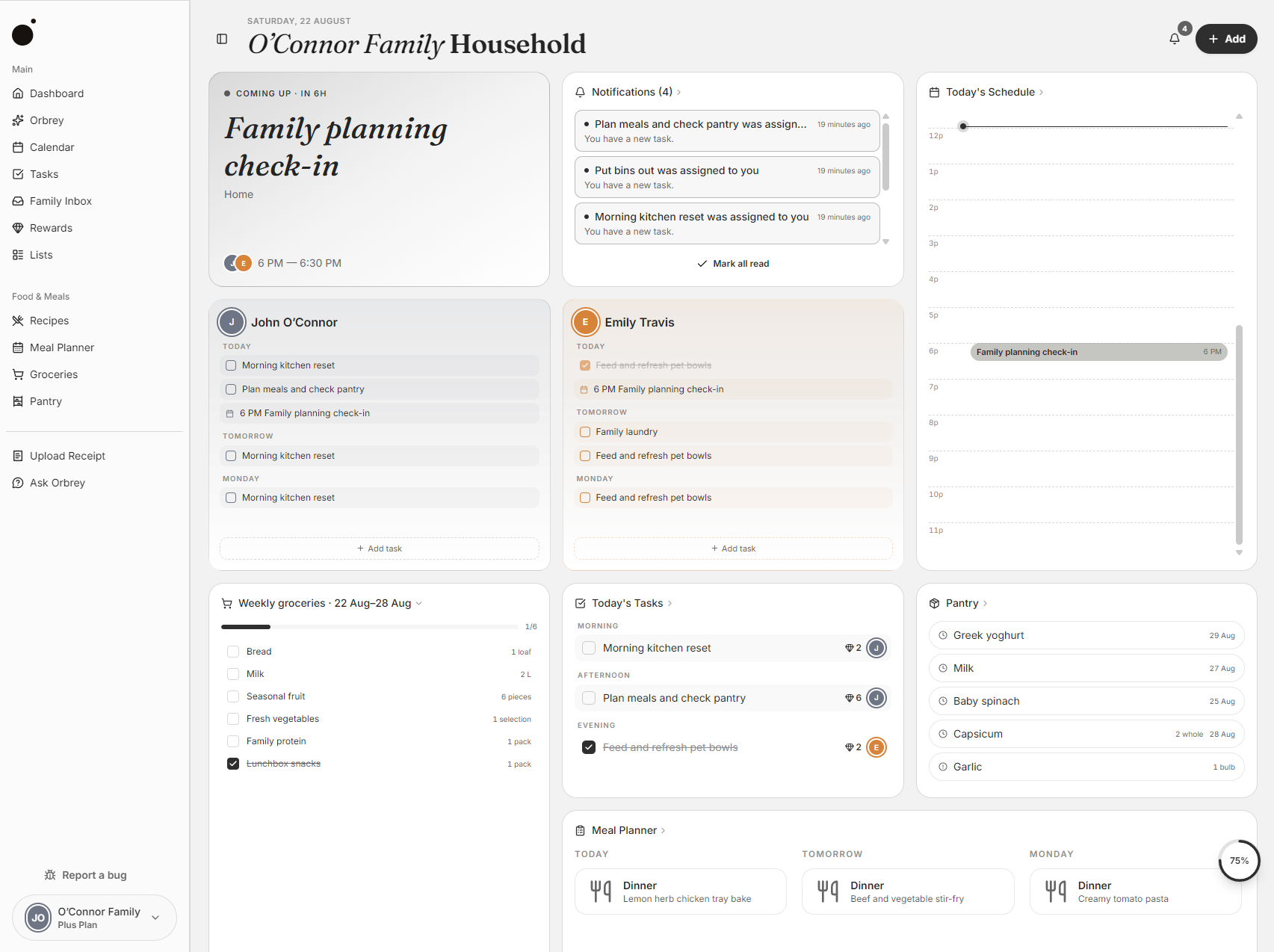
Calendar — schedule view
Built for the messiness

Made for households of every shape.

Families, couples, co-parents across two homes. Orbrey is at home in any of them.

Family mode

For families in the school-run shuffle.

Two work calendars, the kids' soccer roster, the permission slip nobody saw, and the lunchbox prep at 7am. One place where the week actually adds up — and you're not the only one holding it.

Adults and a child sharing an outdoor moment together.
Couples

For couples sharing a fridge.

Two people, one shared list — so the load feels even and "did you buy milk?" stops being a text. Dinners, dog walks, dentist appointments: one place, no crossed wires.

A young couple settling into their new home together.
Two-home sync

For two homes, one family.

A shared calendar across both homes. Pickups, drop-offs and school nights stay clear for everyone — calm, neutral, no crossed wires.

Two parents and their child smiling together.
The food loop

The hours that disappear into deciding, hunting, listing and tracking.

Orbrey closes the loop from recipe to plate. Plan it yourself, or connect your AI assistant to do the planning in a few messages.

01Plan

Lay out the week. The list builds itself.

Drag recipes onto the week or pick from your collection. Add what's missing to the grocery list in one tap. Or — if you want — connect Claude or ChatGPT to draft the week from what's already in the pantry.

02Shop

Check off as you go. Pantry updates itself.

The list syncs across every member in real time. Scan a receipt and the pantry updates automatically — no manual entry, no double-buying.

03Cook

Cook mode keeps your place.

Recipe steps stay open, the screen stays awake, and timers fire inside the method. Serving sizes scale with a tap — cooking for two or ten takes the same effort.

04Track

Mark cooked. The shelf updates itself.

Tick the meal as done and Orbrey deducts the right amounts from your pantry in the right units. The numbers stay honest without re-counting jars.

05Learn

Rate the meal. Next week gets smarter.

Five stars: plan it again. Two: skip it. Next week's suggestions are built from what your household actually eats, not what gets ignored.

With AI, if you want it

Use Orbrey from Claude or ChatGPT.

Orbrey works on its own. Connect Claude or ChatGPT only if you want the assistant to do the typing — you stay in charge of every surface it can touch.

Ask it to plan a week of dinners from your pantry, turn a photo of a recipe into something you can cook, or import a school calendar PDF into events.

  • Plan dinners using what's already in the pantry.
  • Convert a photo of a recipe or calendar event into the app.
  • Generate chore lists and assign gems for the kids.
  • Build a grocery run from a meal plan and dietary needs.
Works withClaude·ChatGPT
LLenavia Claude

"Plan dinners for next week using what's in our pantry. Maya doesn't like fish."

ODrafted 5 dinners + grocery list — Sun roast, Mon tacos, Tue pasta, Wed soup, Thu sheet-pan chicken. 14 items added to Wed grocery run.
JJoaquínvia Claude

"[upload] school-calendar.pdf"

O12 events imported — spring break, picture day, half-days. Color-coded as Maya. Conflicts with Theo's vet appt flagged.
LLenavia Claude

"Make a chore list for Maya this week. Five gems for each."

O4 chores added: bed daily (5), set table Tue/Thu (5 each), feed Tofu (5), tidy room Fri (5). Total possible: 30 gems.
A cheerful family preparing healthy food together in the kitchen.
For · families

Made for the busy.
Used by the busiest.

Two parents, two kids, a dog, a sitter on Wednesdays. Orbrey keeps the moving pieces in one place so it isn't all on one person to remember.

A week with Orbrey

Tuesday, in eight steps.

A real Tuesday in the Vargas-Park household. Here's how it actually plays out.

6:42am

Morning check-in.

Lena pulls up today's view while the kettle boils. Mateo has a dentist appointment after school, and Joaquín's sister is coming for dinner.

7:30am

Yesterday's groceries.

Joaquín scans the receipt from last night's shop. The pantry updates automatically and reminds him he forgot the oat milk.

11:14am

A small calendar clash.

School emails about an early release that overlaps with Mateo's dentist appointment. Orbrey flags it before it becomes a problem.

3:08pm

Swapping pickup.

Lena's stuck in a meeting, so she hands pickup to Joaquín with a tap. The note "bring the cleat bag" comes along with it.

5:51pm

Dinner ready to go.

Tuesday's plan is cacio e pepe. The recipe is open on the iPad, the ingredients are already in the pantry, and the table is half set.

6:30pm

Cook mode on.

The recipe stays open on the bench, the screen doesn't dim, and timers fire right where you need them. Floury hands stay off the phone.

8:42pm

Trash night.

Mateo's reminder pings to take the bins out. He ticks it done and five gems land in his wallet.

9:15pm

Tomorrow at a glance.

Lena scrolls through tomorrow before bed. School run, soccer at five, no big surprises. The week is still on track.

The invitation

Start a household.
It takes three minutes.

Free for the whole household. Invite the people who live with you and start sharing the week tonight.